: FormSignal, a free WordPress plugin
Lead tracking for Elementor Pro forms: counted on your site first
FormSignal counts every successful Elementor Pro form submission on your own site. If you want, it also passes each one to Google Analytics 4, Google Ads or Meta Pixel. Then it shows you how many were passed on and how many were not.
Price
free
Works with
Elementor Pro, classic Form widget
Sends to
GA4 : Google Ads : Meta Pixel
Consent
WP Consent API : Google consent mode
Requires
WordPress 6.8 : PHP 7.4
: 01
What happens to a form submission
Elementor Pro accepts the form
FormSignal counts it on your site
The event is passed to GA4, Google Ads or Meta Pixel, if you enabled them and consent allows
The browser reports the result, and Diagnostics shows it next to the count
: 02
What do you get?
: Forms counted on your site
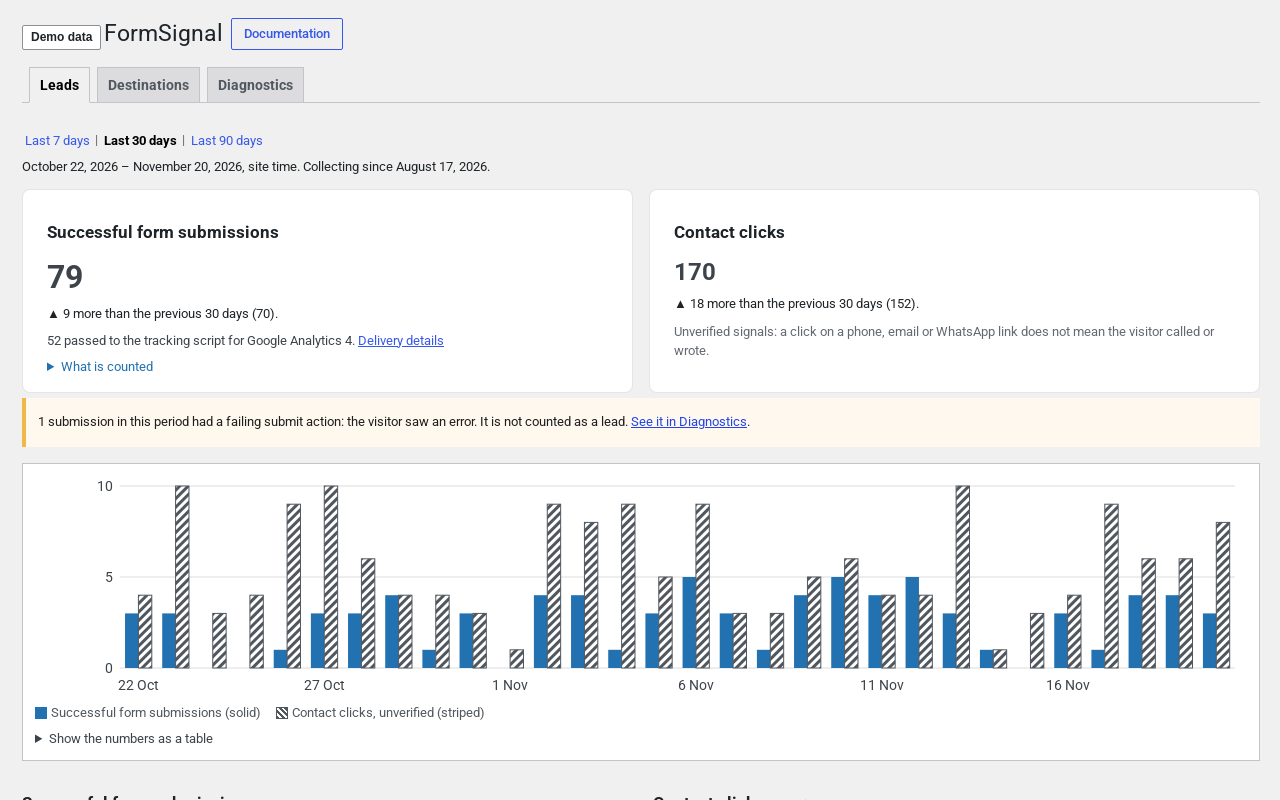
A submission is counted when Elementor Pro accepts it: validation passed and every submit action succeeded. The count is made on your server, inside Elementor Pro’s own request. It does not depend on the visitor’s browser.
: Contact clicks, kept apart
Clicks on phone, email and WhatsApp links are counted too. A click does not mean the visitor called or wrote, so clicks are never mixed with forms.
: Sending is optional
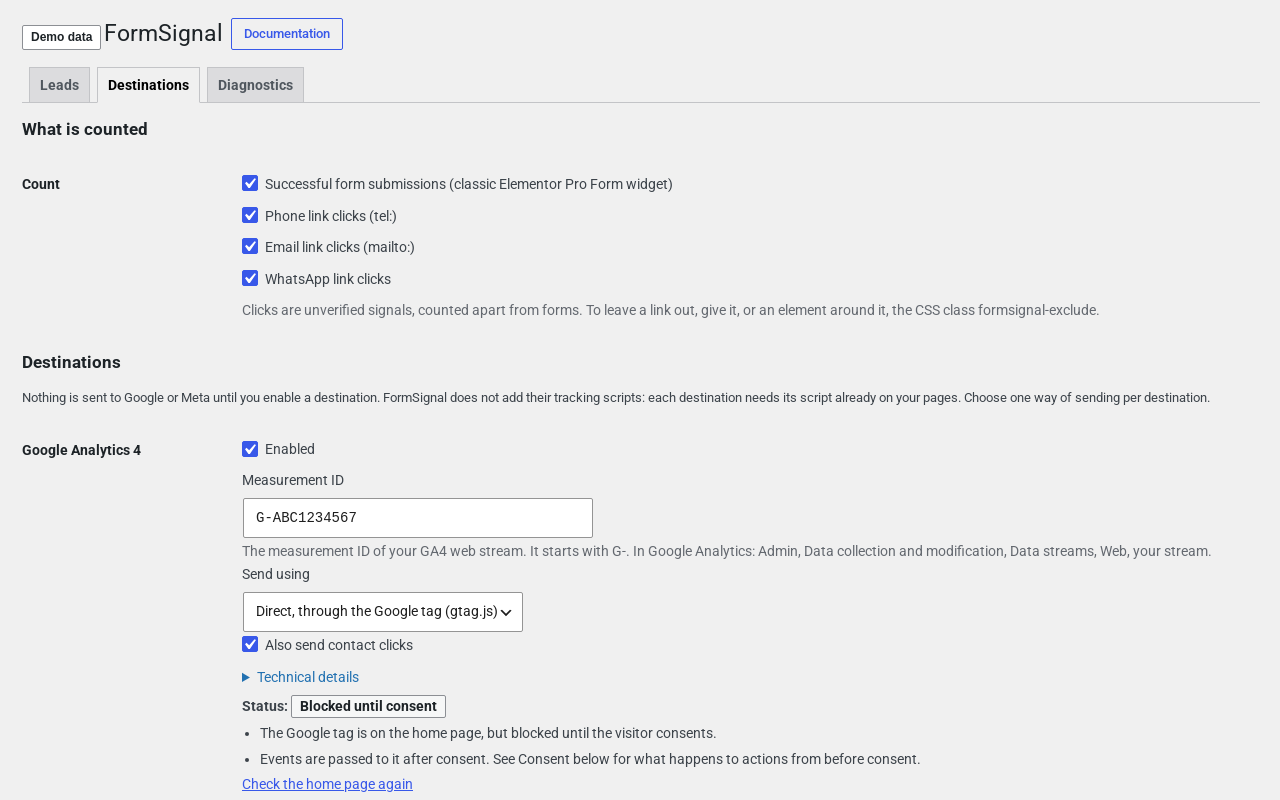
Nothing is sent until you enable a destination. FormSignal then passes each action to the Google tag, Tag Manager or Meta Pixel that is already on your pages. It does not add any tracking script.
: Consent is respected
FormSignal reads consent from the WP Consent API or from Google consent mode. Statistics consent for GA4, marketing consent for Google Ads and Meta. It does not exempt itself from consent.
: You see what was passed on
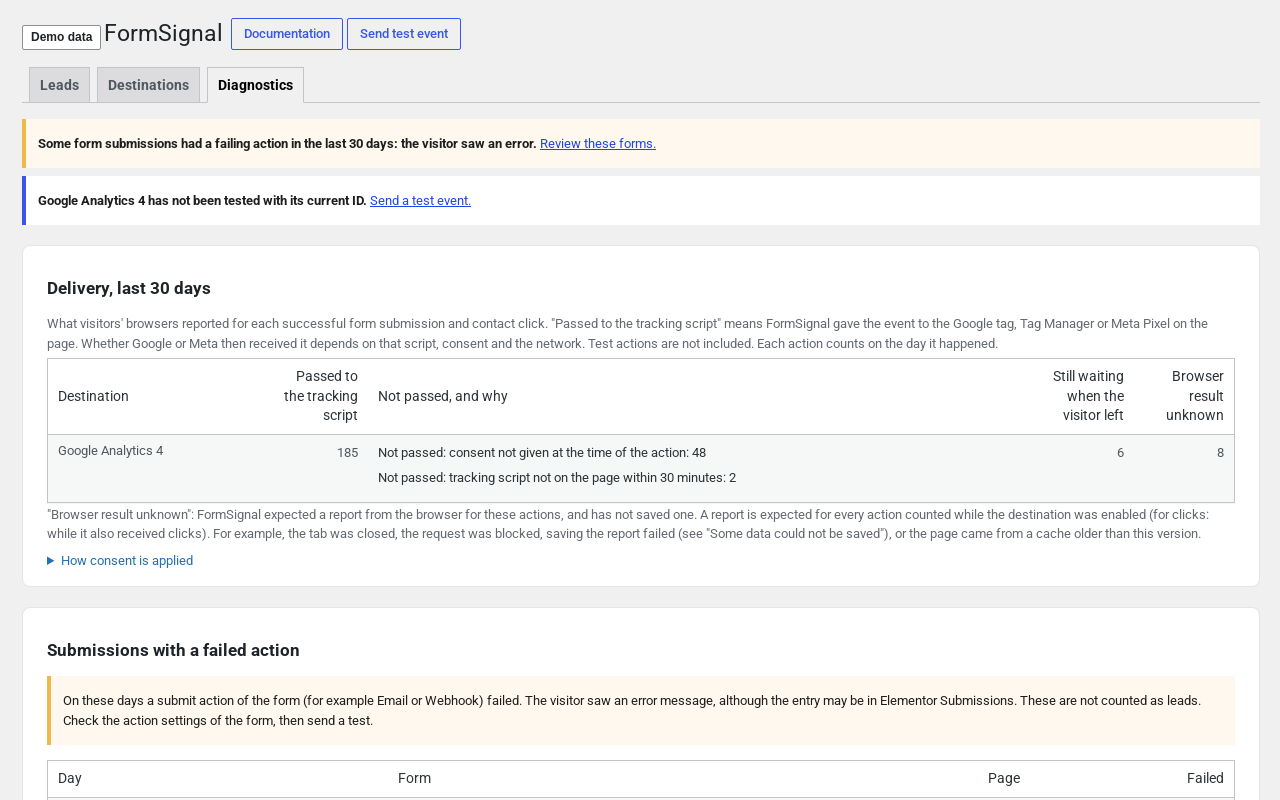
The browser reports what happened to each action. Diagnostics puts these reports next to the count made on your site. You see how many leads reached the tracking script and how many did not.
: No personal data stored
FormSignal stores daily totals. It does not store form field values, names, email addresses, phone numbers, IP addresses or cookies.
: 04
Who is it for?
FormSignal is for sites built with Elementor Pro that use the classic Form widget.
It helps when GA4 or Google Ads shows fewer leads than you really get and you do not know why. It also helps agencies and freelancers who set up tracking for clients and need a number they can check.
It is not for other form plugins. Elementor 4 “atomic” forms and multisite are not supported in this version.
: 05
How does it work, step by step?
Install and activate
Successful forms and contact clicks are counted from this moment. Nothing is sent anywhere.
Choose where to send
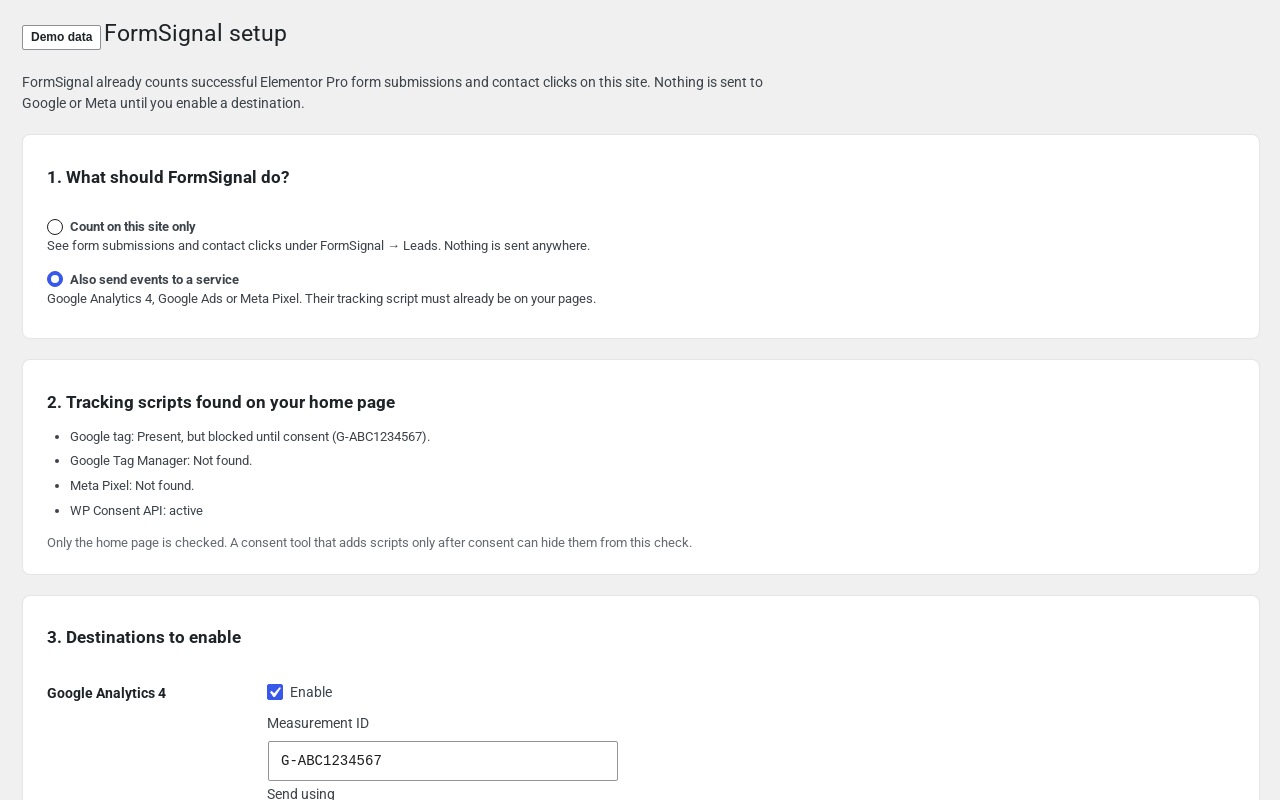
The guided setup checks which tracking scripts are on your home page. You enable GA4, Google Ads or Meta Pixel, enter the ID and choose how to send: directly or through Google Tag Manager. You can also choose to count only.
Test
Clear your page cache. Send a test event from Diagnostics. Then send a real form from a private window and look for it on the Leads screen.
: 06
Documentation
Every page says what was tested and what was not.
: 07
Frequently asked questions
Is FormSignal free?
Yes. There is no paid version.
Does it work with other form plugins?
No. It counts only the classic Form widget of Elementor Pro. Contact clicks are counted without Elementor Pro.
Why does GA4 show fewer leads than FormSignal?
FormSignal counts on your site. GA4 gets only what the browser passes to the Google tag and the tag then sends. Leads are missing from GA4 when consent was refused, the tag was blocked or missing, the tab was closed first, or a cached page had old settings.
Will Google Ads count a lead twice?
It can, if you enable the Google Ads destination and also import generate_lead from GA4 as a primary conversion. Use one source per conversion.
Why are my own submissions not counted?
Logged-in users who can edit posts are not counted. Send a form from a private window, or turn on test mode in Diagnostics.
Can FormSignal block my form?
An error in FormSignal during the form request is caught, and Elementor Pro goes on. A slow database still slows the form. If a count cannot be saved, the form is still sent and nothing is passed on for it.
Does FormSignal confirm that Google or Meta received the event?
No. FormSignal passes each event to the tracking script on the page. It cannot see what happens after that.
Get FormSignal
FormSignal is free and is installed from the WordPress.org plugin directory.
FormSignal is built and maintained by Novaweb Agency. It is not affiliated with Elementor, Google or Meta.